Personalized Initial & Name Sign

Gifting

Personalized Initial & Name Sign

1,649

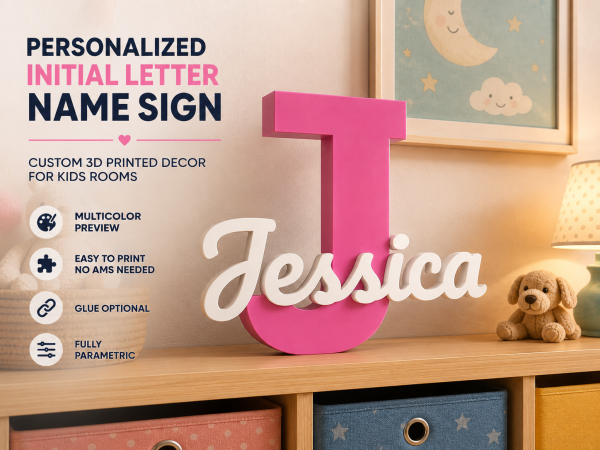
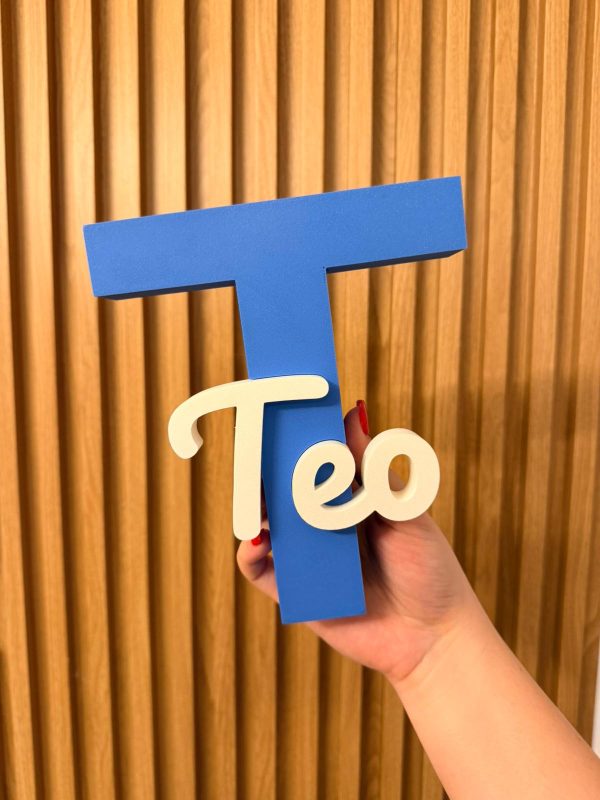
Personalized Initial & Name Decor SignTurn any name into a beautiful display piece. A bold oversized initial paired with a custom scripted name – clean, modern, and made to be shown off.Designed for kids’ rooms, baby rooms, birthdays, gift…

Personalized Initial & Name Decor Sign

Turn any name into a beautiful display piece. A bold oversized initial paired with a custom scripted name – clean, modern, and made to be shown off.

Designed for kids’ rooms, baby rooms, birthdays, gifts, and anyone who wants something personal on their shelf or wall.

What you can do

  • Instantly generate your own version using the Parametric Creator

Features

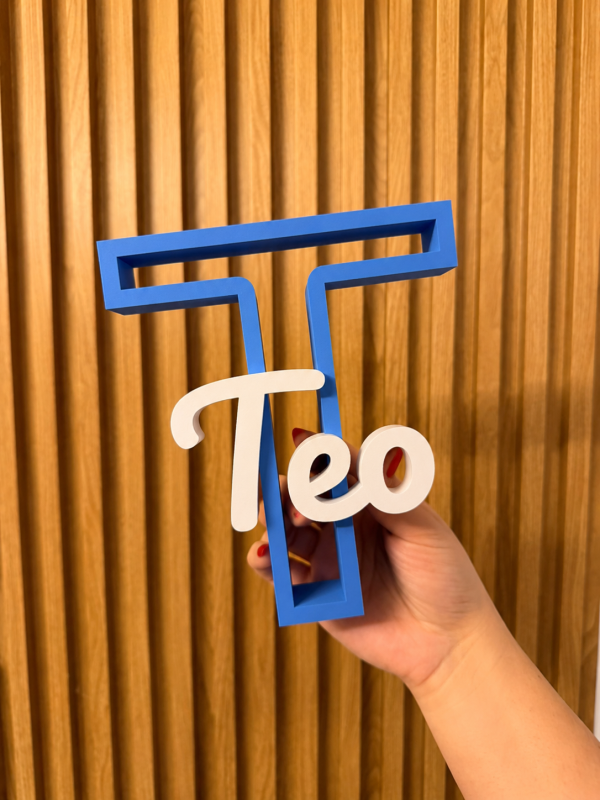
  • Two letter styles: Solid and Outline
  • Multi-color preview included
  • No AMS required
  • Easy assembly
  • Glue optional (only for extra stability)
  • Fully parametric design

🎨 Color Preview Included

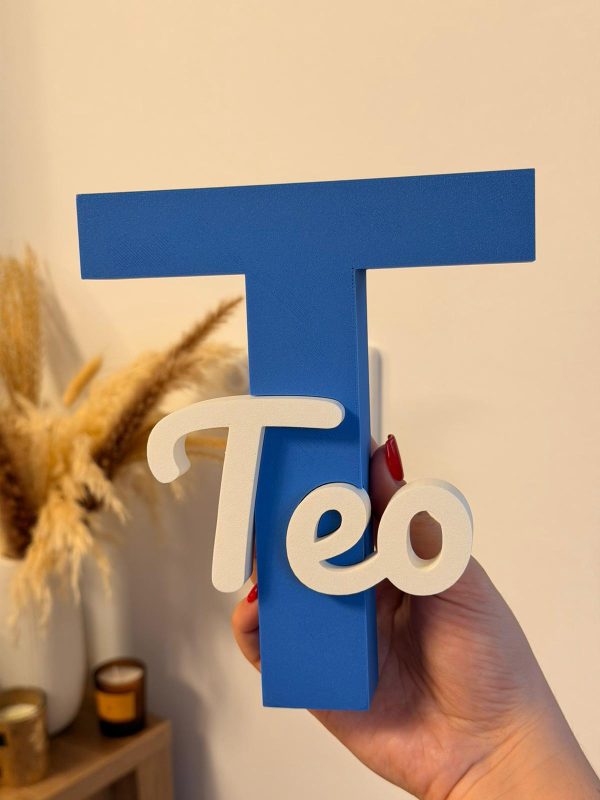
Each model comes with realistic color preview renders, so you can instantly see how the final piece can look in a real environment before printing.

Perfect for choosing color combinations for boys’ rooms, girls’ rooms, birthdays, or personalized gifts.


🔤 Two Letter Styles

Choose how the main initial looks:

  • Solid – a full, filled letter for a bold, classic look
  • Outline – a hollow, see-through letter for a lighter, modern frame effect


🦶 Flat Base (for letters like J, U, V)

Some initials have a rounded or pointed bottom and won’t stand flat on their own.

  • Turn on Flat Base to add a flat foot across the bottom of the initial so it stands upright.
  • Use Flat Base Height to set how tall the foot is, raise it for letters with a deep curve (like J), lower it for a subtle flat edge.

Leave it off for letters that already sit flat (N, H, M…).


🔗 Connect Dots (for names with i or j)

The dots on i and j are separate floating parts and can detach.

  • Turn on Connect Dots to add a thin support line on the back of the name that links each dot to its letter, hidden from the front.
  • It works automatically in most cases. To fine-tune:
    • Bridge X Offset – nudge the line sideways onto the dot
    • Line Width – make the line thinner or thicker
    • Web Reach – how far down the line reaches toward the stem
    • Dot Capture – widen if the dot is missed
    • Bridge Thickness – how deep the line sits on the back


✏️ Connect First Letter (manual bridge)

In script fonts, the first letter (like a cursive J) can have a loop or tail that looks separated. This adds a small bar that you place by hand to join it to the next letter.

  • Turn on Connect First, and a small bar appears on the back.
  • Move and size it until it bridges the gap:
    • First Bar X / Y – position (X = 0 is the name center, negative = left toward the first letter)
    • First Bar Width – length of the bar
    • First Bar Height – thickness of the bar

(preview of connected dots and first letter and flat base)


💡 Tip: After enabling any of these, always check the Assemble View and preview the model before exporting the STL, to confirm everything is connected.


Just pick your preferred style in the Parametric Creator before generating your STL.

⚙️ Instant Customization with the Parametric Creator

Want to make your own name instantly?

Use the Personalize option to open the model in the Parametric Creator and generate your custom version in seconds.

Why use the parametric version?

  • No additional software needed
  • Easy customization for any name length
  • Adjust spacing and positioning effortlessly
  • Great for testing different styles and layouts

⚠️ Important Notes

Some lowercase letters such as “i” and “j” contain floating elements (the upper dots).
When customizing names, make sure these parts remain connected to another section of the model so they print correctly and stay attached.

For best results, always preview the model before exporting the STL.


Pairs well

Related objects