NAME SIGN 3
NAME SIGN 3
NAME SIGN 3

Decor

NAME SIGN 3

354

 Looking for a unique, personal and beautifully clean name sign for a kid’s room, birthday, office desk, gift or party? With this generator, you can design your perfect custom name sign in just 10 seconds — fully adjustable, instantly…


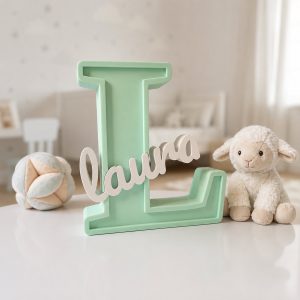
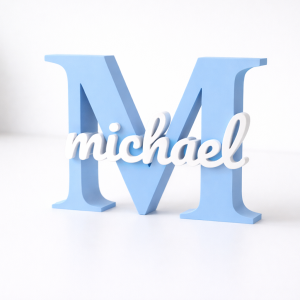
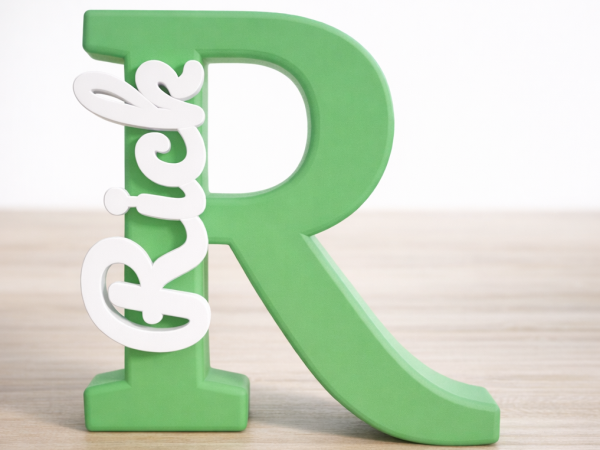
Looking for a unique, personal and beautifully clean name sign for a kid’s room, birthday, office desk, gift or party? With this generator, you can design your perfect custom name sign in just 10 seconds — fully adjustable, instantly ready to print, and compatible with any 3D printer.

Customizable Name-in-Letter Generator

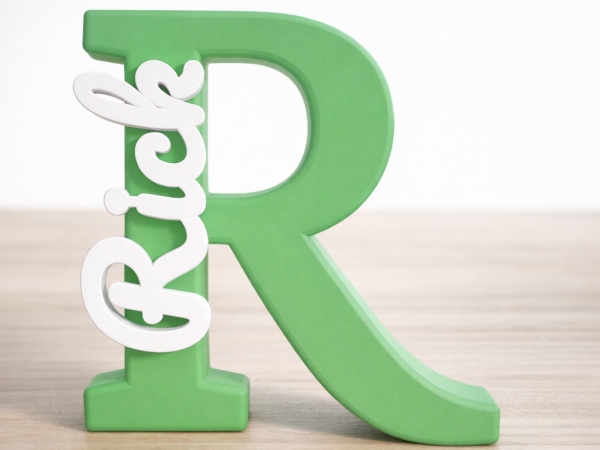
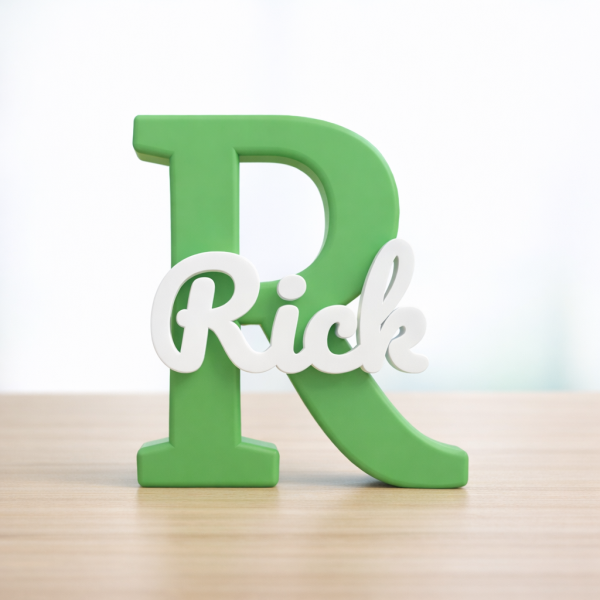
Turn any name into a stunning 3D decorative piece! This fully parametric OpenSCAD model allows you to nest a name inside a large initial letter. Whether you have a high-end Multi-Color printer (like Bambu Lab AMS) or a standard single-color printer, this model is designed to give you a perfect fit every time.

Key Features

  • Fully Customizable: Change the letter, the name, and the fonts in seconds using the OpenSCAD Customizer.
    Pro Surface Finish (Flip Mode): Use the Flip_for_Printing switch to print the model face-down. This gives your sign the professional texture of your print bed (like a Textured PEI plate) for a flawless look.
  • The "i-Dot Fix": No more losing the floating dots on letters like 'i' or 'j'. Use the built-in "Bridge" feature to connect them seamlessly to the rest of the name.
  • Multi-Color or Single-Color: * Inlay Mode: Print the name directly inside the letter for a smooth, professional look (perfect for AMS/MMU).
    • Separated Mode: Print the name and letter side-by-side to glue them together later.
  • Adjustable Tolerance: Fine-tune the gap between the letter and the name for a perfect "snap-fit" based on your printer's accuracy.
  • Fillet & Refinement: Add smooth, rounded edges for a premium feel.
  • Auto-Stand for Upright Display: Want to display your sign on a desk or shelf? Enable the Auto-Stand feature to automatically generate a perfectly aligned base at the lowest point of your letter. 

How to Use

  1. Customize: Open the script in OpenSCAD. Enter your desired Main Letter and Name.
  2. Adjust Layout: Use the X/Y Offset and Rotation sliders to position the name exactly where you want it.
  3. Fix Floating Parts: If your name has floating parts (like the dot on an 'i'), enable the i-Dot Fix (Bridge) and move the bridge to connect the pieces.
  4. Choose Print Mode:
    • Set Print_Separately to ON to print the name and letter as separate parts for gluing.

Recommended Print Settings

  • Parametric Model Maker

    • Orientation: Set Flip for Printing to ON (for a clean, face-down surface finish).
    • Print Mode: Set Print Separately to ON.


  • Bambu Studio
    • Print Sequence:By Object 
    • Speed:Initial Layer at 30 mm/s (for superior adhesion and a flawless first layer).
    • Infill:15% Gyroid (strong and prevents 'nozzle dragging').
    • Finish:Ironing ON (for a perfectly smooth top surface/backside).
    • Split to objects
    • Enable support
       

Maak in seconden een persoonlijk naam-bordje voor elke gelegenheid

Wil je een uniek, persoonlijk en superstrak naam-bordje maken voor een kinderkamer, verjaardag, bureau, cadeau of feestje? Met deze generator ontwerp je in 10 seconden jouw perfecte naam-sign volledig op maat, direct print‑klaar en geschikt voor elke 3D‑printer.
 

Aanpasbare Naam-in-Letter Generator

Verander elke naam in een prachtig 3D-decoratiestuk! Dit volledig parametrische OpenSCAD-model stelt je in staat om een naam perfect in een grote beginletter te nestelen. Of je nu een geavanceerde multi-color printer hebt (zoals de Bambu Lab AMS) of een standaard printer met één kleur, dit model is ontworpen voor een perfect resultaat.

Belangrijkste Functies

  • Volledig Aanpasbaar: Verander de letter, de naam en de lettertypen in enkele seconden via de OpenSCAD Customizer.
  • Professionele oppervlakte afwerking (Flip-modus): Gebruik de Flip_for_Printing schakelaar om het model ondersteboven te printen. Hierdoor krijgt je naam de professionele textuur van je printbed (zoals een Textured PEI-plaat) voor een vlekkeloos resultaat.
  • De "i-Punt Fix": Nooit meer losse puntjes verliezen bij letters als de 'i' of 'j'. Gebruik de ingebouwde "Bridge" functie om ze naadloos te verbinden met de rest van de naam.
  • Multi-Color of Losse Onderdelen:
    • Inlay Modus: Print de naam direct in de letter voor een strakke, professionele look (ideaal voor AMS/MMU).
    • Gescheiden Modus: Print de naam en de letter naast elkaar om ze later in elkaar te zetten en te lijmen.
  • Aanpasbare Tolerantie: Verfijn de speling tussen de letter en de naam voor een perfecte "snap-fit", afgestemd op de nauwkeurigheid van jouw printer.
  • Ronde Afwerking (Fillet): Voeg vloeiende, ronde randen toe voor een luxe uitstraling.
  • Auto-Stand voor Rechtopstaande Presentatie: Wil je jouw naam-bordje op een bureau of plank zetten? Zet de Auto-Stand functie aan om automatisch een perfect uitgelijnd voetstuk aan de onderkant van je letter te genereren. 

Hoe te gebruiken

  1. Aanpassen: Open het script in OpenSCAD. Vul de gewenste Main Letter en Name in.
  2. Layout Bepalen: Gebruik de X/Y Offset en Rotation schuifbalken om de naam exact op de juiste plek te zetten.
  3. Losse Onderdelen Vastzetten: Heeft je naam een los puntje (zoals bij de 'i')? Zet Enable_Bridge aan en verschuif de brug tot de onderdelen verbonden zijn.
  4. Kies Printmodus:
    • Zet Print_Separately op AAN (true) om de naam en letter los van elkaar te printen voor handmatige montage.


Aanbevolen Printinstellingen

  • Parametric model maker
    • Oriëntatie:Flip for Printing op ON (strakke face-down afwerking).
    • Print separately op ON


  • Bambu Studio
    • Printvolgorde:By Object 
    • Snelheid:Initial Layer op 30 mm/s (superieure hechting en oppervlakte).
    • Infill:15% Gyroid (sterk en voorkomt 'nozzle dragging').
    • Afwerking:Ironing AAN (maakt de achterzijde perfect glad)
    • Split naar objecten
    • Support mode aan

Pairs well

Related objects

NAME SIGN 2

NAME SIGN 2

✨ Lettera decorativa con nome inciso – Modello OpenSCAD parametricoQuesto progetto è una lettera decorativa 3D completamente parametrica,...